










Every week a local business owner tells us some version of the same story: “We boosted a few posts, got a lot of likes, and not one customer called. Facebook ads don’t work for us.” In most of those cases Facebook ads were never really tried. The Boost button was. It is a different tool, built for a different job, and knowing the difference can save you a lot of money. Below we explain what boosting actually does, what Ads Manager gives you that boosting does not, and the few situations where a boost is still a reasonable choice.
What the Boost button actually does
When you press “Boost post” on a Facebook Page post or an Instagram post, Meta creates a simple ad from that post. You pick a goal, an audience, a daily or total budget and a duration, and the post starts showing to people who do not follow you. Behind the scenes it is a real ad, and it shows up in Ads Manager like any other campaign. The difference is how many decisions you are allowed to make, and which ones Meta makes for you.
The goals offered in the boost flow change from time to time and vary by account, but they usually look like “more engagement”, “more messages”, “more website visitors”, “more calls” or an automatic option where Meta picks for you. The default choice on many posts leans toward engagement, and that default is where most of the wasted money goes.
Why boosting rarely books jobs
1. It optimizes for what you asked for, not what you want. Meta’s delivery system is very good at finding people who will do the thing you optimize for. If the goal is engagement, it finds people who like and comment on lots of posts. Those people exist in every city, they engage cheaply, and they are often not the ones who need a roof, a moving truck or a hair appointment this month. A boost with 400 likes and zero calls is the system doing its job well on the wrong target.
2. “Website visitors” is not the same as leads. When a boost sends traffic to your site, it is typically optimizing for clicks or landing page views, not for form submissions or bookings. Clicks are cheap partly because many of them are accidental taps or people who leave in two seconds. In Ads Manager you can instead optimize for the actual conversion event your pixel or Conversions API reports, such as a submitted quote form or a completed booking, if your tracking is set up.
3. You cannot test anything properly. A boost is one post, one audience, one goal. To learn which offer or creative brings cheaper leads, you need several ads running at the same time, under the same conditions, with spend split in a way you can compare. Boosting five posts on five different weeks tells you mostly about the weeks, not about the posts.
4. Your best post is not always your best ad. Organic posts are written for followers: team photos, “happy Friday”, a finished project with no price and no call to action. An ad for strangers needs a clear offer, a reason to act now and a single next step. Boosting turns the wrong kind of content into an ad.
5. The audience controls are thin. Boost lets you choose location, age and some interests, and in many accounts saved audiences. Ads Manager adds what matters most for local businesses: custom audiences from your customer list and website visitors, exclusions (for example, people who already booked), lookalikes, placement choices and detailed location targeting by radius or ZIP/postal code. Exact options shift as Meta changes its tools, but the gap between the two has been consistent for years.
Boost vs Ads Manager, side by side
| What you need | Boost post | Ads Manager campaign |
|---|---|---|
| Optimize for a lead, booking or purchase | Limited; usually clicks, messages, calls or engagement | Yes, including pixel and Conversions API events |
| Instant lead form with qualifying questions | Not reliably available | Yes (lead objective) |
| Several ads compared in one ad set | No, one post per boost | Yes |
| Exclude existing customers or recent leads | Limited | Yes, with custom audiences |
| Retarget website visitors | Limited | Yes |
| Choose placements | Basic | Full control or Advantage+ placements |
| Setup time | 2 minutes | 30–60 minutes the first time |
The last row is the real reason boosting is popular. It is fast and it feels like advertising. But the 30 minutes you save on setup usually cost far more in spend that never had a chance to produce a customer.
When boosting is a reasonable choice
We do not tell clients to never boost. There are a few jobs it does well enough:
- Reaching your own followers and their friends with news that matters locally: a new location, holiday hours, an event this weekend. Here engagement is the goal.
- Warming up a post you plan to use as an ad. A post with real comments and reactions can look more trustworthy. In Ads Manager you can run an existing post as an ad, so the social proof carries over.
- Getting messages when you can answer them fast. A boost optimized for messages to Messenger, Instagram Direct or WhatsApp can work for businesses where a quick chat turns into a booking, like salons or car rental. Only if someone actually replies within minutes.
- Very small, one-off promotions where a full campaign would be overkill and you accept you will not learn much from the result.
If your goal is “more customers this month”, none of these apply, and you want a campaign built in Ads Manager.
Boosting posts with lots of likes and no calls? Book 30 minutes with Nick. You leave with a concrete 7-day ad test, whether you hire us or not.
Book a free call →How to move from boosting to a real campaign
You do not need a big budget or an agency to make the switch. You need a clear offer, working tracking and a simple structure. This is the order we follow when we take over an account that has only ever boosted:
- Pick one offer. A free estimate, a first-visit price, a same-day slot, a quote within an hour. Write it as one sentence a stranger would understand.
- Decide what a lead is. A call, a booking or a form with name, phone and service area. If you choose a lead form, add one or two qualifying questions (city, timeline, type of job) so you can judge quality, not just volume.
- Set up tracking. Install the Meta pixel on your site and, if you can, the Conversions API through your website platform or booking tool. Check in Events Manager that your form submit or booking event actually fires.
- Build one campaign with the Leads or Sales objective (names change; pick the one that lets you optimize for your lead event), one ad set targeted to your service area, and 3–4 ads that test different angles: price, speed, proof (reviews, before/after where allowed) and the problem you solve.
- Exclude people you already have. Upload a customer list or exclude recent leads, so you do not pay to reach them again.
- Let it run a full week before judging. Then cut the ads that spent two or three times your target cost per lead without a qualified lead, and move budget to the winner.
If you have never built a campaign before, our step-by-step Facebook ads setup for local businesses walks through every screen, from Business Manager to the first ad set. For the budget side, our guide on how much a small business should spend on ads shows how to size a first test so it gives a clear answer.
What changes when you stop boosting
The numbers in Ads Manager will look worse at first. Cost per result goes up because a lead costs more than a like. That is normal and it is the point: you are now paying for something that can turn into revenue. Judge the campaign by cost per qualified lead and, better, by cost per booked job, which you can only see if you track what happens after the form.
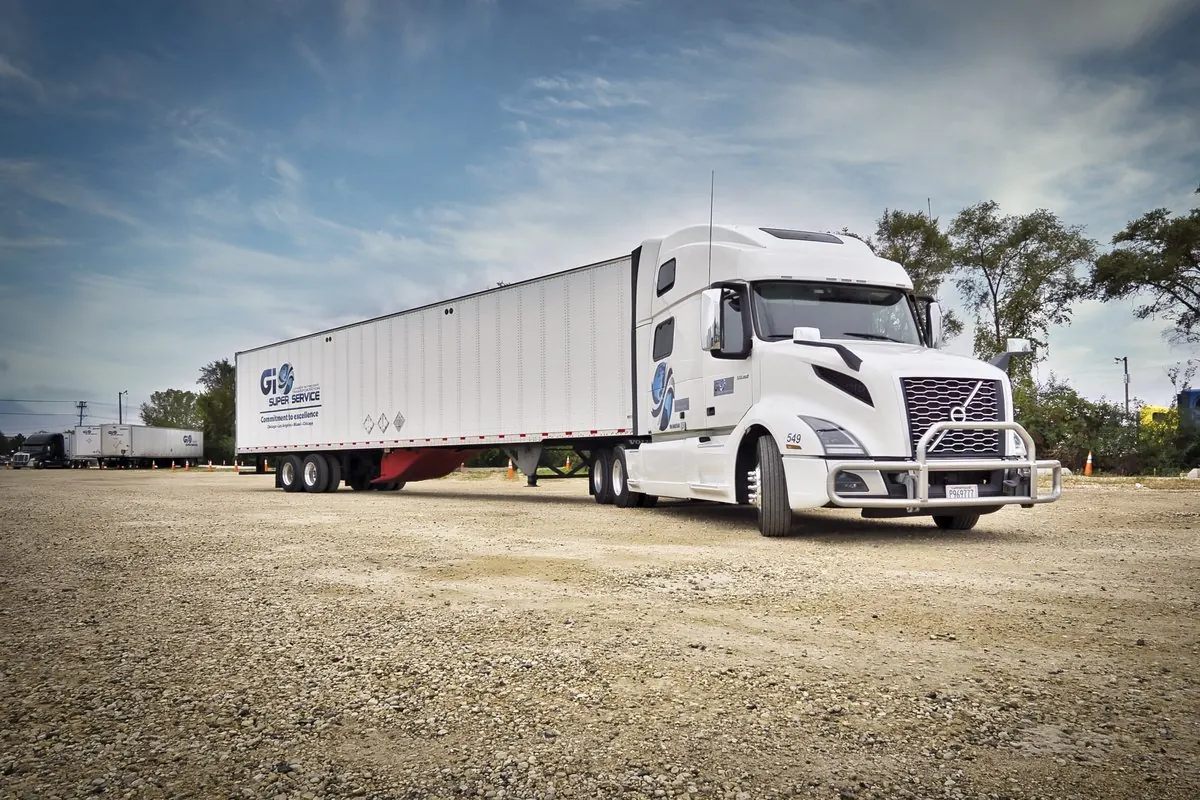
To give a real example of what a structured campaign can do: for GI Super Service, a logistics company in Illinois, the best campaigns delivered $6–$9.36 per action and held that range while budgets scaled through peak season. That came from testing several angles side by side, cutting the losers and moving spend only to the ads that stayed under target, which is exactly the process a boost cannot run. You can read the GI Super Service case for how the campaigns were set up.
Results like that are not guaranteed for every business, and lead costs depend heavily on your market, offer and season. But the structure is the same for a salon, a solar installer or a moving company.
Mistakes we see after people make the switch
- Rebuilding the boost inside Ads Manager. Choosing the Engagement or Traffic objective in a full campaign gives you the same result with more steps. Choose an objective tied to leads or sales.
- Running the organic post as the ad. Write ads for people who have never heard of you: offer first, proof second, one clear action.
- Too many ad sets on a small budget. One ad set with several ads usually beats five ad sets each starved of data.
- Changing things every day. Big daily edits restart learning. Make changes in batches, a few days apart.
- Slow follow-up. A lead that waits until tomorrow is worth much less than one called in five minutes. Connect your forms to email or SMS alerts before you spend a dollar.
- Keeping both running against the same people. If you still boost, exclude your boosted audience from your lead campaign, or at least do not boost offers you are testing in Ads Manager.
Quick checklist before your next ad dollar
- Is the goal a customer, not a like? Use Ads Manager.
- Do you have one clear offer written for strangers?
- Does your pixel or booking tool report a lead event, and have you tested it?
- Are you comparing at least 2–3 ads at the same time?
- Are existing customers excluded?
- Can someone answer a new lead within minutes?
- Will you judge by cost per qualified lead or booked job, not by reach or clicks?
Boosting is the easiest way to spend money on Facebook; a structured campaign is the easiest way to learn whether Facebook can bring you customers. That is the “test small, then scale what works” method we use with every local client. More on how we run it for service businesses is on our local business ads page.
FAQ
Is boosting a post on Facebook worth it?
For reaching followers with local news, an event or a message-driven offer you can answer fast, a boost can be fine. For getting leads or booked jobs, a campaign in Ads Manager optimized for a lead or booking event almost always does better, because it lets you test several ads, use lead forms and exclude existing customers.
Is a boosted post the same as a Facebook ad?
A boosted post is a Facebook ad, but a simplified one. It runs a single existing post with a few goal and audience options. Ads Manager gives you the full set of objectives, conversion tracking, custom audiences, exclusions, placements and side-by-side creative testing.
Why do my boosted posts get likes but no customers?
Usually because the boost was optimized for engagement, so Meta found people who like and comment cheaply rather than people likely to book. Organic posts also tend to lack a clear offer and next step. Switch to a leads or sales objective with an ad written for strangers.
Boosting posts with lots of likes and no calls? Book 30 minutes with Nick. You leave with a concrete 7-day ad test, whether you hire us or not.
Book a free call →Keep reading
- How we run local business ads →
- Instagram ads for salons and spas that fill the calendar
- Google Local Services Ads vs Google Search ads
- How much should a small business spend on ads?
- Case studies with real numbers
- We also run real estate ads →
- We also run e-commerce ads →