



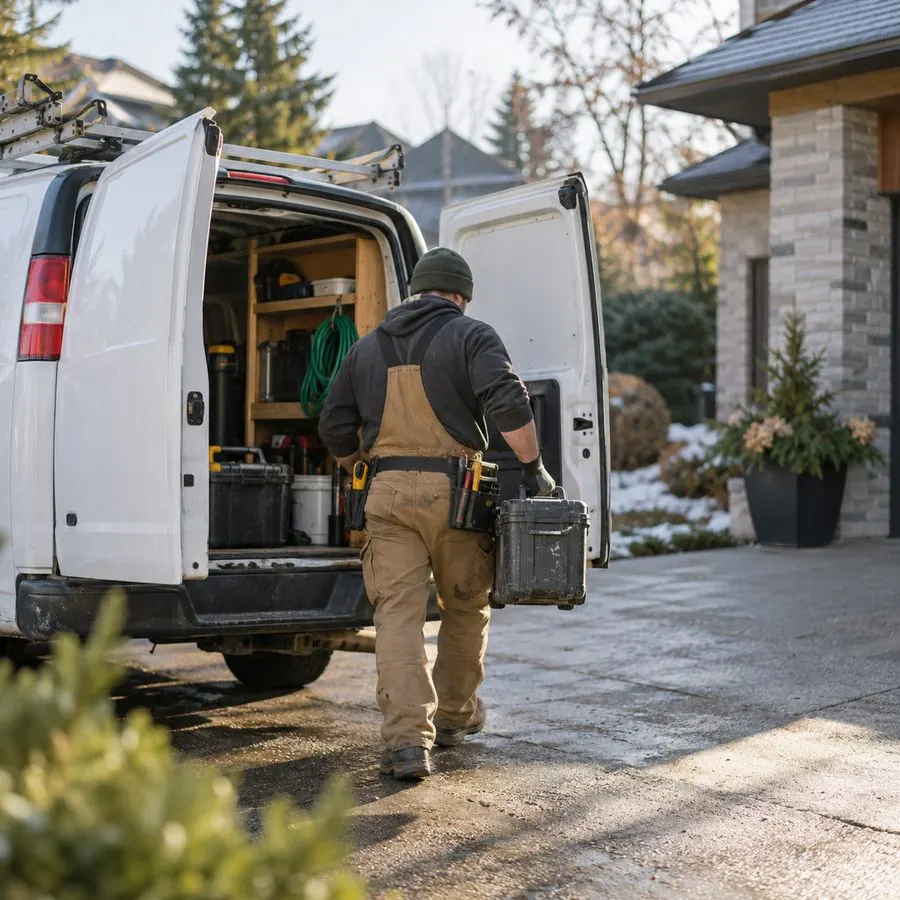







If you run a plumbing, HVAC, cleaning, roofing or similar service business in the US or Canada, Google gives you two very different ways to buy customers from search. Local Services Ads (LSA) are the boxes at the very top of the results with a verification badge, your star rating and a call button. Google Search ads are the classic text ads with a headline, a description and a link to your website. Both show up when someone types “emergency plumber near me”. They are priced differently, controlled differently and fail for different reasons. Below is how we decide between them for a local client.
How each one works, in one table
| Local Services Ads | Google Search ads | |
|---|---|---|
| What you pay for | A lead: a call, message or booking request from the ad | A click on the ad, whether or not the person contacts you |
| Where it shows | Top of results for eligible service searches, plus Maps in some cases | Above and below organic results, on many more searches |
| What you control | Service area, job types, hours, budget, bidding mode | Keywords, match types, negatives, ad copy, landing page, schedule, location, bids |
| Entry requirements | Verification: background checks, licence and insurance depending on category and location | An ads account, a payment method and a landing page that follows policy |
| What drives ranking | Proximity, reviews and rating, responsiveness, hours, complaints | Bid, ad and landing page quality, expected click-through rate |
| Where the lead lands | Your phone or the LSA inbox, no website needed | Your website or a call from the ad |
The short version: LSA rents you a slot that looks like a recommendation from Google, and you pay when someone actually reaches out. Search ads give you far more control and reach, but you pay for every click and you have to turn clicks into calls yourself.
First check: can you even run LSA?
LSA is only available for certain categories and markets. Home services (plumbers, electricians, HVAC, locksmiths, roofers, cleaners, pest control, movers and others) are the core, and Google has added professional categories such as lawyers and real estate agents in many US markets. Coverage in Canada is narrower and differs by city. Category lists and requirements change, so check the current list for your trade and postal or ZIP code before you plan anything around it.
Verification is the part owners underestimate. Depending on category and location, Google may require background checks for the owner and for field staff, proof of a licence and proof of insurance. In our experience this takes from a few days to several weeks, and a missing document stalls everything. Start it early, even if you are not sure you will use LSA.
When Local Services Ads usually win
- Urgent, phone-first jobs. A burst pipe or a broken furnace is a “call the first credible name” search. LSA puts a call button, a rating and a badge in front of that person before any text ad.
- You have strong reviews. Rating and review count are part of how LSA ranks and how people choose. A business with 150 reviews at 4.8 has a real edge over a competitor with 12.
- You do not have a good website. LSA does not send people to a landing page, so a weak site hurts much less.
- You do not have time to manage keywords. There is no keyword list or negative keyword list to maintain. You choose job types and the area you serve.
- You answer the phone. Responsiveness affects ranking. A business that picks up live during business hours tends to get more and cheaper exposure than one that lets calls go to voicemail.
When Google Search ads usually win
- High-value, planned jobs. Kitchen remodels, solar installs, new roofs and commercial contracts are researched over days. People compare, read pages and fill forms. Search ads with a strong landing page that explains your offer, pricing range and process usually do better here.
- You need specific services, not a whole category. LSA job types are broad. If you only want “tankless water heater installation” and not every plumbing call, keywords give you that precision.
- You want to exclude bad traffic. Negative keywords like “DIY”, “jobs”, “salary”, “free”, or a competitor’s brand are only possible in Search.
- Your category is not on LSA or verification is blocked. Search ads are available to almost every legitimate business.
- You want to test offers. In Search you control the message: a financing offer, a same-day guarantee, a seasonal price. LSA shows your profile, not your pitch.
The cost math, with an example
Comparing “cost per lead” on LSA to “cost per click” on Search is comparing different things. Put both on the same basis: cost per booked job. Here is a worked example for a plumbing company. The numbers are illustrative, not a benchmark, so plug in your own.
| Line | LSA | Search ads |
|---|---|---|
| Price paid | $45 per lead | $9 per click |
| Clicks that become a call or form | n/a | 12% → $75 per lead |
| Leads that are real, in-area jobs | 70% | 80% |
| Real leads that book | 50% | 45% |
| Cost per booked job | ≈ $129 | ≈ $208 |
In this example LSA wins clearly. Change one assumption, for example a landing page that converts at 20% instead of 12%, and Search drops to about $125 per booked job, roughly level with LSA. That is the point: the winner depends on your numbers, your site and your phone handling, not on a rule. Our guide on how much a small business should spend on ads shows how to work out the maximum you can pay per booked job before you start.
Two things affect the LSA side more than people expect. First, not every LSA lead is a job: wrong numbers, spam, people outside your area and requests for services you do not offer all happen. Google has a process for crediting invalid leads, and in recent years has handled more of it automatically, but how credits work has changed several times, so check your account rather than relying on old advice. Second, the price per lead in competitive cities can be far higher than in smaller markets. Look at the estimate Google shows for your area before you assume anything.
Not sure whether LSA, Search ads or both make sense for your business? Book 30 minutes with Nick. You leave with a concrete 7-day ad test, whether you hire us or not.
Book a free call →Setting up LSA so it actually performs
- Finish verification fully. Upload every document Google asks for, for every technician it asks for. A half-finished profile does not serve.
- Pick job types honestly. Turn off every job type you do not want. Each one left on is a lead you will pay for.
- Draw the service area where you make money. If driving 40 minutes kills your margin on a $200 call, exclude those areas, even if it shrinks volume.
- Set hours you can answer. If nobody picks up after 6 pm, do not advertise until 10 pm. Missed calls cost you the lead and can hurt your position.
- Build reviews steadily. Ask every satisfied customer, every week. Reviews drive both ranking and the click.
- Mark leads in the dashboard. Rating leads and marking which ones booked helps you see real cost per job, and where possible gives Google feedback on lead quality.
- Review disputes or credits weekly. Check what was credited and what was not, and follow the current process for anything clearly invalid.
Setting up Search ads so they do not waste money
- Start narrow. 10–30 high-intent keywords in phrase or exact match: the service plus “near me”, the city name, or urgency words like “emergency” and “same day”. Broad match can work later, once conversion tracking is solid.
- Build the negative list on day one. Jobs, salary, training, DIY, how to, free, parts, wholesale, and towns you do not serve. Then check the search terms report every few days in the first weeks and keep adding.
- Track calls and forms as conversions. Without conversion tracking, Google optimises for clicks and you cannot compare against LSA. Track calls from the ad, calls from the site and form submissions separately.
- Send people to a page built for the service. Not your home page. One service, one city, a clear phone number at the top, reviews, a price range or a “from” price if you can, and a short form.
- Use a call asset and a location asset so mobile searchers can call without visiting the site.
- Schedule ads for the hours you answer. Same rule as LSA.
We used this structure with Hybrid Power Solutions, a solar installer, where we ran two Google Ads strategies head to head and the winner became the template for new regions. The details are in the Hybrid Power Solutions case study.
If you sell solar, the channel and qualification specifics are in our guide to lead generation ads for solar companies.
Should you run both?
For most eligible home-service businesses, yes, but not on day one with equal budgets. Here is how we usually sequence it:
- If you are eligible for LSA and have decent reviews: start verification immediately, launch LSA as soon as it is approved, and run a small, tight Search campaign on your highest-value services alongside it.
- If verification will take weeks: start with Search on exact and phrase match so you are not losing the season, then add LSA when it goes live.
- If you are not eligible: Search, plus Meta ads to reach homeowners before they search. Our Facebook ads setup guide for local businesses covers that side.
Then compare on the one number that matters, cost per booked job, after enough leads to be meaningful. LSA volume can be lumpy, so we give each channel two to four weeks and at least 15–20 leads before moving budget. When one channel is clearly cheaper per job and still has room to grow, it gets the next dollar. When a channel runs out of volume (LSA often does in small areas), Search picks up the rest.
Do not double-count: one customer may see your LSA, click a Search ad and then call. Ask every new caller how they found you.
Decision checklist
- Is my category and city eligible for LSA, and have I started verification?
- Do I have enough recent reviews to compete with the top 3 businesses in my area?
- Can someone answer calls live during every hour I advertise?
- Do I have a service page that converts, or would Search clicks land on a weak site?
- Do I know my maximum cost per booked job from my own margins?
- Am I tracking leads to booked jobs in both channels, not just leads?
LSA rewards reputation and responsiveness, Search rewards control and a good landing page, and the business that measures cost per booked job across both pays the least per customer. More on how we run campaigns for service businesses is on our local business ads page.
FAQ
Are Google Local Services Ads better than Google Search ads?
Neither is better for everyone. LSA tends to win for urgent, phone-first jobs when you have strong reviews and answer calls live. Search ads tend to win for planned, high-value jobs, narrow services and when you need negative keywords. Compare them on cost per booked job, not cost per lead or click.
Do you pay per click with Local Services Ads?
No. With LSA you pay for a lead, such as a call, message or booking request from the ad, not for a click. Google has a process for crediting invalid leads, but its rules have changed over time, so check the current policy in your account.
Can I run Local Services Ads and Search ads at the same time?
Yes, and most eligible home-service businesses should. Start verification early, run a tight Search campaign while you wait, then compare both channels on cost per booked job after two to four weeks and move budget to the cheaper one.
Not sure whether LSA, Search ads or both make sense for your business? Book 30 minutes with Nick. You leave with a concrete 7-day ad test, whether you hire us or not.
Book a free call →