









Contractors ask us two questions more than any others: "Do Google ads work for contractors?" and "Should I be on Facebook instead?" The honest answer to both is "it depends on the job". A kitchen remodel, an exterior paint job and a same-week handyman repair are bought in completely different ways, and the ad channel that wins for one often loses money on another. This guide is how we would set up Google and Facebook ads for a general contractor, remodeler, painter or small construction company in the US or Canada: which channel for which job, what to budget, how to filter leads and how to count signed contracts instead of form fills.
Split your jobs by ticket size and urgency
Before writing a single ad, list the jobs you actually want more of. Then sort them by how people buy them:
| Type of job | How people buy | Best first channel |
|---|---|---|
| Kitchen and bathroom remodels | Plan for months, collect ideas, get 2–4 quotes | Facebook and Instagram for demand, Google for "remodel" searches |
| Interior and exterior painting | Seasonal, compare a few quotes over a week or two | Google Search, then Meta for seasonal offers |
| Repairs and handyman work | Need it soon, call whoever answers | Google Search, Google Maps, Local Services Ads where available |
| Decks, fences, concrete, additions | Seasonal, visual, price-sensitive | Meta with project photos and video, Google for "[service] contractor near me" |
| Commercial and new construction | Property managers and developers, long sales cycle | Google Search on narrow terms, retargeting |
Give every row you keep its own campaign and budget. If remodels and small repairs share one Google campaign, the algorithm will spend where leads are cheapest, which is almost always the small jobs. Your report will show a great cost per lead and your calendar will fill with work you did not want.
Work out what an estimate is worth to you
Run the numbers backwards from a signed contract. Here is an illustrative example, not a benchmark; use your own numbers:
- Average gross profit on a bathroom remodel: $6,000
- Leads that turn into an in-home estimate: 40%
- Estimates that sign: 25%
- So one lead is worth about $6,000 × 0.4 × 0.25 = $600 in gross profit
If you are willing to spend a fifth of that to win the job, you can afford about $120 per lead. That one number answers most budget arguments. It tells you whether Google click prices in your city are workable, and it stops you from killing a Facebook campaign that brings $60 leads that actually sign. We walk through the same math for other local businesses in how much a small business should spend on ads.
Google Ads for contractors: narrow beats loud
Contractor keywords are expensive because you are bidding against lead-gen marketplaces, franchises and every other contractor in town. You win by being more specific than they are.
Keywords by job, not by trade. "Contractor near me" is vague and attracts everything from job seekers to people who need a plumber. Start with service and place: "bathroom remodel [city]", "kitchen remodeling contractor", "exterior house painters [city]", "deck builder near me", "basement finishing cost". Use phrase and exact match at first. Broad match needs a solid history of tracked conversions before it stops wandering.
Negative keywords from day one. Construction searches pull in a lot of people who will never hire you: jobs, hiring, salary, license, course, school, DIY, how to, YouTube, Home Depot, Lowe's, rental, supplies, materials, software, template, free. Add them as negative keywords before launch, then read the search terms report every few days in the first month and keep adding. Test before blocking "cost" and "price": some of those searchers are buyers doing homework.
Location targeting that matches your trucks. Target the towns and ZIP or postal codes you actually serve, and check that the campaign is set to reach people who are in or regularly in your area, not only people "interested in" it. Google explains the options in its location targeting help. Remodel searches from a city three hours away are a classic source of wasted spend.
Local Services Ads. Google offers pay-per-lead Local Services Ads with a verification badge for many home-service categories in the US and Canada. Which contractor categories are eligible, and what checks they need, varies by trade and area and changes over time, so check the current list for yours. We compare the two formats in Local Services Ads vs Google Search ads.
One landing page per job type. A remodel page shows finished kitchens and bathrooms, your process, a typical timeline, licence and insurance, reviews and financing if you offer it. A painting page shows before-and-after photos and how you protect floors and furniture. Send each ad group to its own page with a short form and a click-to-call button.
The same test-first approach worked for a solar installer near Toronto: we ran two Google Ads strategies side by side, and a $220 test brought its first 5 installation leads. The winning set-up then became the template for new regions. Read the Hybrid Power Solutions case.
Facebook and Instagram ads for contractors: sell the finished project
Almost nobody opens Instagram to hire a contractor. But many homeowners have a kitchen they hate or a deck that is falling apart and have been putting it off for a year. Meta reaches them before they search, usually at a lower cost per lead than Google. The leads are colder, so the form and the follow-up do more of the work.
Run real campaigns, not boosts. Use a lead or conversion objective in Ads Manager. Boosted posts tend to buy likes from people who enjoy renovation content and never hire anyone; we explain why in boosted posts vs Ads Manager.
Creative from your own jobs. A 20-second before-and-after walk-through, a time-lapse of a deck going up, the owner explaining what a realistic bathroom budget looks like, a homeowner's short testimonial on site. Real footage beats stock photos almost every time. Write headlines that filter: "Planning a kitchen remodel in [city] this spring?" pulls better buyers than "Need a contractor?".
A concrete offer. A free in-home estimate with a written quote in 48 hours, a design consultation, a project timeline before you sign, or a booking slot before the busy season. "Quality work at fair prices" is not an offer.
Financing ads need care. If an ad promotes a specific financing or credit offer, Meta may require it to run under a special ad category with limited targeting. Rules change, so check Meta's current policy before launching a financing ad.
Want to know what a booked estimate would cost you from ads? Book 30 minutes with Nick. You leave with a concrete 7-day ad test, whether you hire us or not.
Book a free call →Lead forms that filter out tire-kickers
Cheap contractor leads get expensive when your estimator drives 40 minutes to a renter or to someone who wanted a price over the phone. Add three or four questions to your Meta lead form:
- Do you own the home? (Yes / No)
- What is the project? (Kitchen / Bathroom / Painting / Deck or fence / Other)
- Rough budget? (Under $10k / $10k–$30k / $30k+ / Not sure yet)
- When do you want to start? (Within 1 month / 1–3 months / Just researching)
Add a ZIP or postal code field so you can drop leads outside your area, and ask for a phone number. Volume usually drops a little and booked estimates go up. If the form still brings junk, test a landing page against it and compare cost per booked estimate, as in Facebook lead forms vs landing pages.
How to start: a small test before a big month
Do not commit a full month of budget to the first idea. We start every client with a 7-day test: two or three job types or audiences, several creative angles or keyword groups, one conversion goal and stop rules agreed up front. After the week you know which job types bring estimates at a cost you can afford, and the budget moves there.
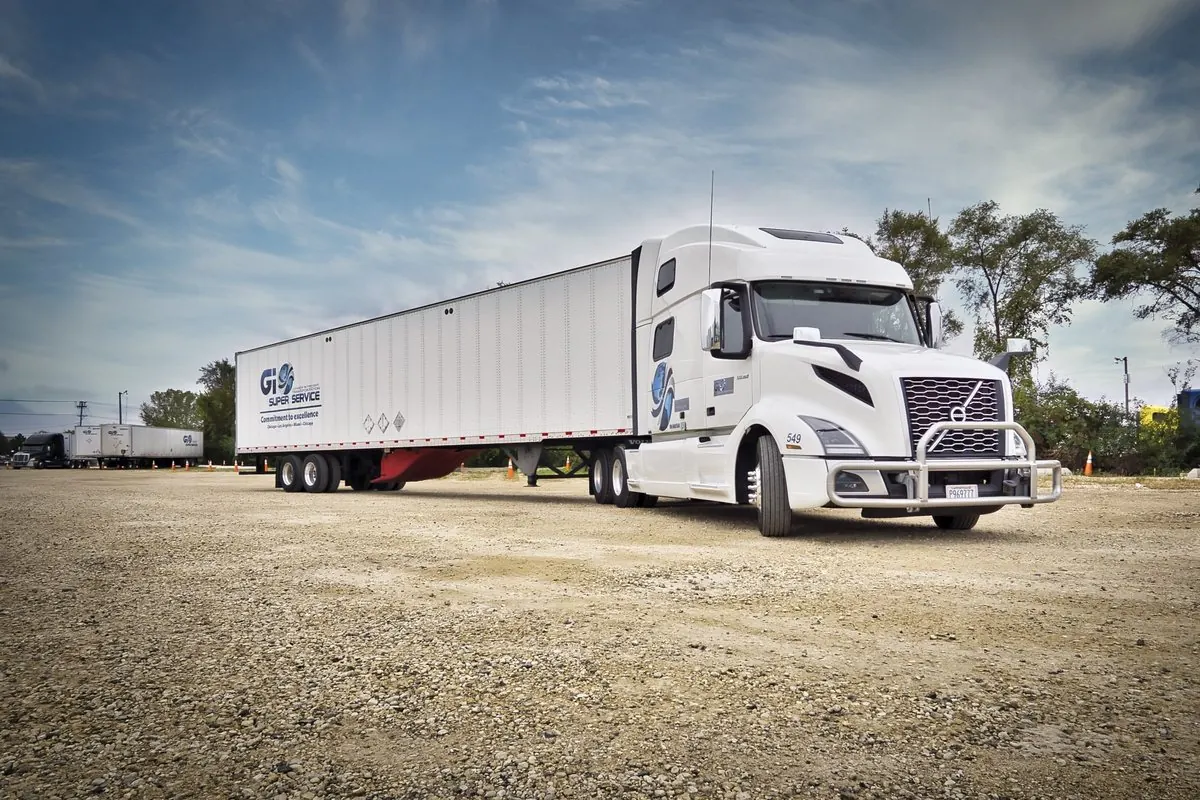
For a first read, plan enough ad spend for each campaign to collect a fair number of leads at your target cost per lead. Smaller jobs such as painting or repairs can get a first read on a few hundred dollars per platform. High-ticket remodels need more, because each lead costs more: in our budget guide we put a renovation contractor at often $2,000–$3,000 for the first two weeks. If that is out of reach, test one strong offer to one audience instead of three of each. We have not published a remodeling or painting case study yet; our closest service-business result is an Illinois logistics company whose best campaigns held $6–$9.36 per action while budgets scaled through peak season. Read the GI Super Service case.
Measure signed jobs, not leads
A contractor's ad account can look great and still lose money. Three things make the difference:
- Track calls as well as forms. Many homeowners call instead of filling in a form. Google Ads can count calls from ads and your website as conversions; without that, Google optimizes on half the picture.
- Mark which leads became estimates and contracts. A simple sheet or your CRM is enough. Once a month, compare cost per signed job by campaign, not cost per lead.
- Call back in minutes. A homeowner who fills in a form usually contacts more than one contractor. The first to call back gets the estimate. Our speed-to-lead guide shows how to set up instant alerts.
Run it yourself or hire an agency?
If your ad budget is a few hundred dollars a month and you have a few hours a week, start yourself with one Google Search campaign for your most profitable job. Our guide on hiring an ads agency vs DIY lists the signs you have outgrown that. If you want Google and Facebook tested side by side, that is what our Business Plus plan does: $4,000 USD for two platforms over a one-month campaign, with copy, creatives, tracking set-up and reporting included. Business Starter is $2,000 USD for one platform. Ad spend is paid to the platforms and is separate.
Related reading for trades:
- How we run campaigns for trades, with results and pricing: home services ads
- Offers, creative and seasonality for any trade: Facebook ads for home service businesses
- For roofers specifically: Facebook and Google ads for roofing companies
FAQ
Do Google ads work for contractors?
Yes, when campaigns target specific jobs and places ("bathroom remodel [city]") instead of broad terms like "contractor", block job-seeker and DIY searches with negative keywords, and send clicks to a page for that service. Judge them on cost per signed job, because contractor clicks are expensive.
Facebook ads or Google ads for contractors?
Google catches people already searching for a contractor, so it suits repairs and urgent jobs. Facebook and Instagram create demand for planned projects such as remodels, decks and painting, usually with cheaper but colder leads. Many contractors run both and move budget to whichever brings signed jobs cheaper.
How much should a contractor spend on ads?
Work backwards from the gross profit of a signed job and your close rate to get the most you can pay per lead. Painting and repair jobs can get a first read on a few hundred dollars per platform; high-ticket remodels often need $2,000–$3,000 of ad spend for the first two weeks, then more behind the campaigns that worked.
How much does Google Ads management for contractors cost with Test Ads?
Business Starter is $2,000 USD for one ad platform and a one-month campaign. Business Plus is $4,000 USD and runs Google and Facebook side by side for a month. Ad spend is paid to the platforms separately, and you can try the work for the first 14 days.
Want to know what a booked estimate would cost you from ads? Book 30 minutes with Nick. You leave with a concrete 7-day ad test, whether you hire us or not.
Book a free call →Keep reading
- All local business guides →
- How we run local business ads →
- How we run home services ads →
- Facebook & Instagram ads: our service →
- Facebook and Google ads for roofing companies
- Retargeting ads for small businesses: a practical setup
- Facebook ads for home service businesses: what actually books jobs
- Hire an agency or run ads yourself?
- Case studies with real numbers
- We also run real estate ads →
- We also run e-commerce ads →
More local business guides
- Google Maps ads: how to show up in local search
- Google Ads for solar companies: keywords, budgets and lead quality
- Facebook lead forms vs landing pages: which brings better leads
- Ads for car rental businesses: how to get more direct bookings
- Trucking company ads: Google Ads and Facebook ads for logistics companies
- Speed to lead: why answering in 5 minutes beats a better ad
- Facebook boost vs Ads Manager: why boosted posts rarely book jobs
- Instagram ads for salons and spas that fill the calendar
- Google Local Services Ads vs Search ads: which local search ads to run